Agent terminated abnormally
Note
Reported by Resilio Agent v6.0.0 and newer.
Error code: SE_TERMINATED_ABNORMALLY
The Resilio Agent can terminate abnormally for a number of reasons, and when it happens, the Agent reports the termination reason to the user and Resilio administrator when the Agent starts again.
There are three termination categories:
- Internal consistency failure — an internal assertion was violated.
- Out of memory (OOM) — the Agent terminated because it ran out of RAM.
- Other abnormal termination — the Agent terminated unexpectedly for any other reason.
The Agent terminates because an assertion/internal consistency check was violated:
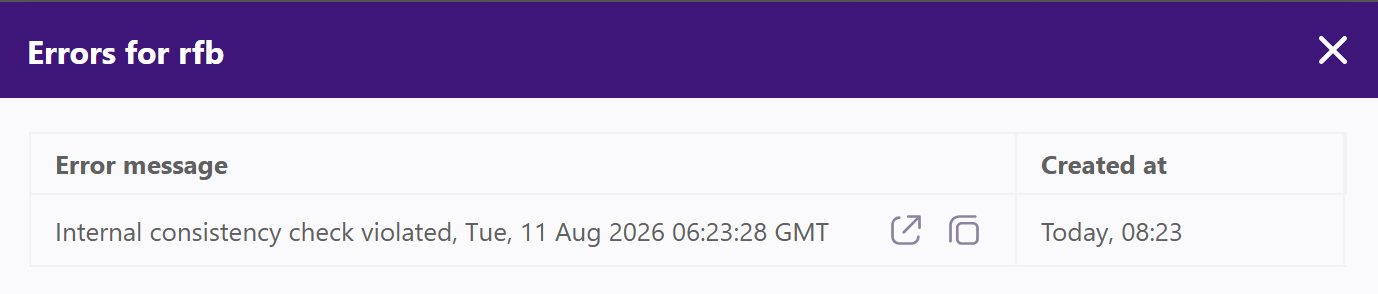 For each abnormal termination, the Agent creates a plain-text diagnostic file in its storage folder. The diagnostic file is intended to transfer information from the Agent process to the next Agent startup: if the diagnostic file is present, the Agent reads the diagnostic information, reports the corresponding error message, and then deletes the file.
The diagnostic information helps investigate the reason for an unexpected termination. For example, an internal consistency failure indicates an issue with the Agent itself, while an OOM termination requires checking whether the system meets the Agent's system memory requirements.
Internal consistency failure
The Agent terminates because an assertion or internal consistency check was violated:
Out of memory
Resilio Agent has specific system memory requirements. The diagnostic file, created upon Agent process termination, contains:
- Information that the Agent terminated because of OOM.
- Available system memory at the time of termination.
- Total system memory at the time of termination.
- System memory consumed by the Agent at the time of termination.
Other abnormal termination behavior
This category covers abnormal terminations that are caused by neither an internal consistency failure nor an out-of-memory condition.