Migrating Management Console to a new server
This guide will help you migrate Management Console to the new machine preserving its configuration. Migrated Console retains Agents, jobs and job runs, profiles, groups, users and all related parameters from the old Console.
Management Console's Agent
This procedure applies to the Management Console only and does not apply to the Management Console's Agent and its jobs. If you need to migrate Management Console's Agent, contact Resilio support.
Prerequisites
In order to perform a successful migration, the following conditions must be met:
-
Management Console on the new location must use the same IP address or DNS name as the old one (whichever was used for the old Management Console). Otherwise, the Agents won't be able to connect to it as they will be attempting to connect via the old address. If you cannot preserve the original IP address or DNS name:
- If Agents were connected to the console using sync.conf file, their configuration files shall be updated with the new address. Use the old Management Console to set the new IP address or a DNS name. For details, see Updating Agent Configuration File.
- If Agents were connected using the Management Console's IP address (over Agent UI on Windows or using the
--serveroption on Linux), is it required to enter the address of the new Management Console on each Agent manually.
-
New Management Console must have same version. If you plan to upgrade Management Console, complete the migration first on the same revision, then proceed with the upgrade.
Migration to a different operating system is supported.
Migration does not reset administrators or their credentials. For details on resetting user's password, see Failed Login And Resetting Password In Resilio Management Console.
Migrate the Management Console
To migrate your Management Console:
- Install a clean Management Console on a new machine.
- Stop the Management Console service on the new machine.
- If the Management Console's storage was encrypted on the old server (for versions 3.6 and newer), copy the encryption key (environment variable value) to the new server and set it up the same way.
-
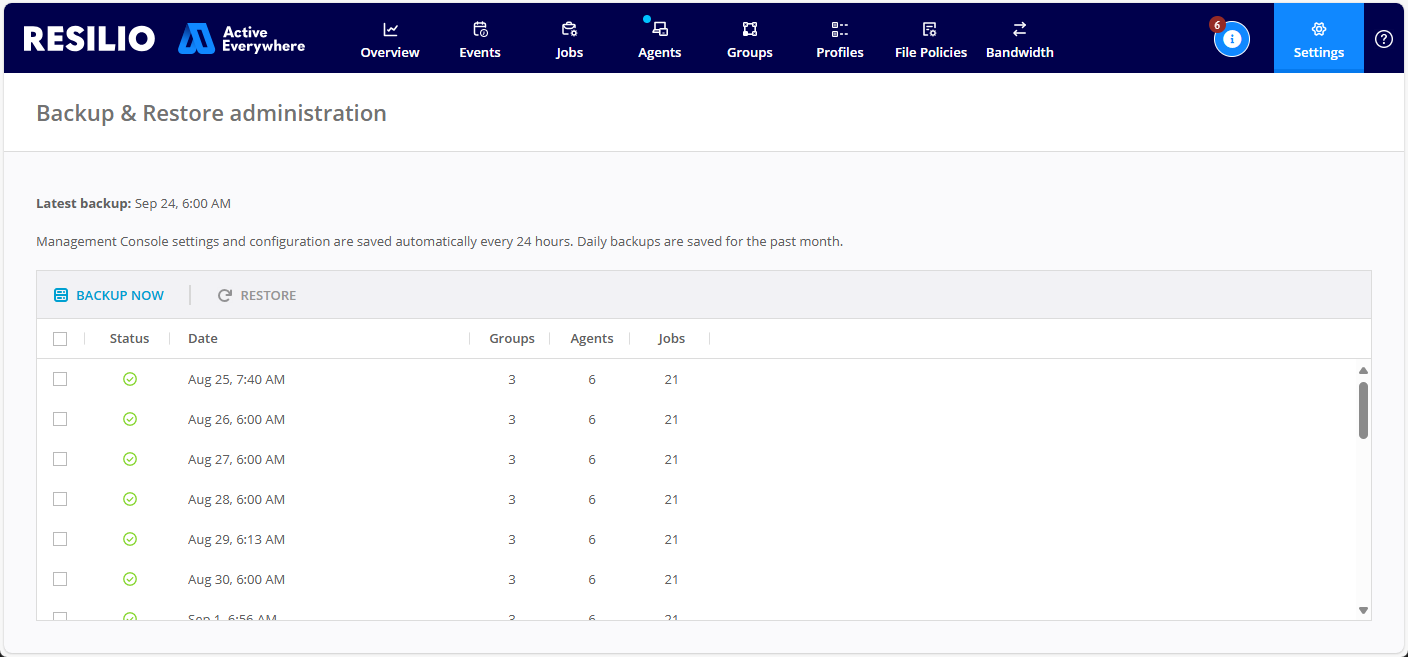
On the old Management Console, select Settings > Backups, then click Backup now to create the latest backup:
-
Stop the Management Console service on the old machine.
-
Copy the latest backup located in
[storage folder](../../reference-information/storage_folder.md)/data/server_backupto the new machine's storage folder.Note
If the
server_backupfolder does not exist on the new machine, create it manually. -
Start the Management Console service on a new machine and log in. You will have to set up the console as if it was the new installation: create a temporary user and upload your license.
-
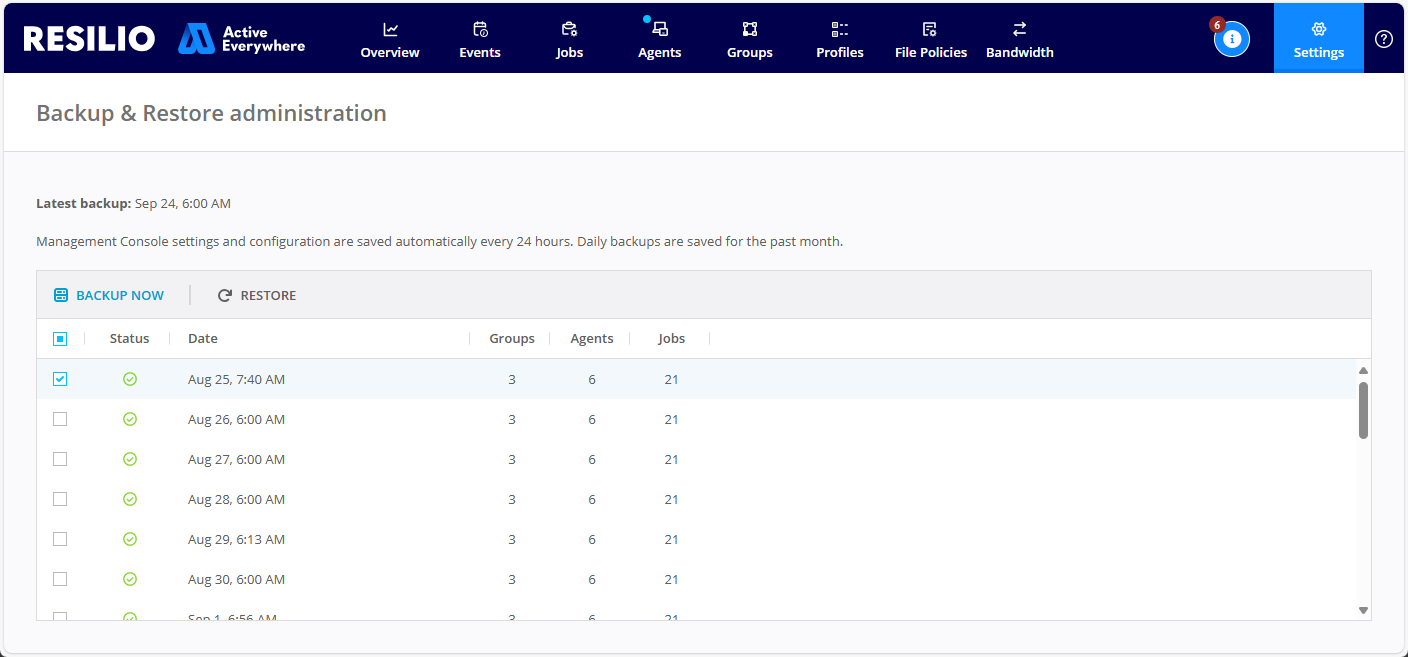
Restore the backup on a new machine.
-
Management console service will restart. Reload the page, login with any old (restored) user's credentials, confirm the console's state is restored. Temporary user is deleted. Old management console can be discarded.