P2P segmentation and localization
Resilio Active Everywhere offers a number of ways to control the connections between Agents in a Job. This is especially useful in large deployments where there's often a need to optimize the traffic between Agents, for example, by limiting the number of connections between different offices or to cloud storage.
Network policy rules
Network policy rules are a powerful tool to control the connections between Agents in a Job. They allow you to define preferred connections between Agents based on their tags and the number of connections that can be established. This way, you can ensure that Agents in the same location connect to each other, while a select number of Agents are delegated to cross-region data transfers. For more information, see Network policy rule.
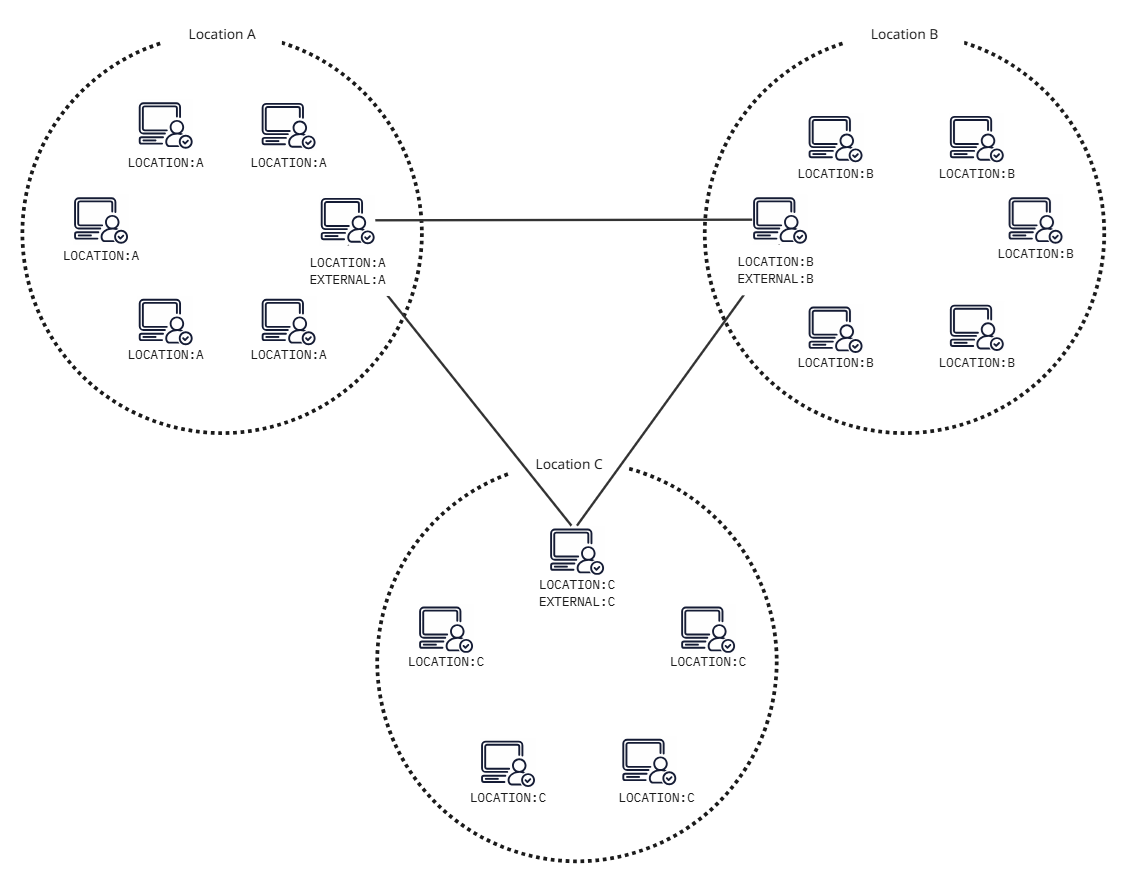
To implement this solution:
-
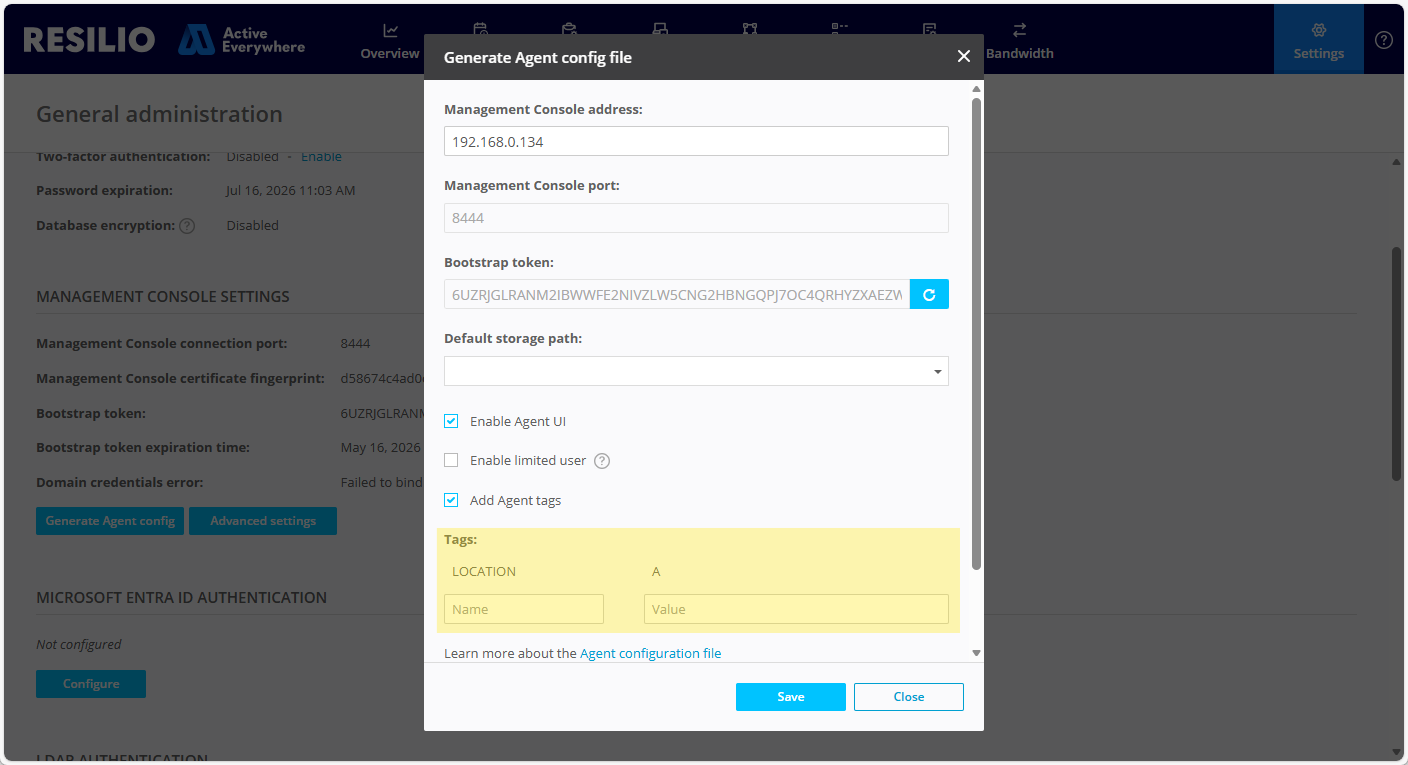
Assign tags to Agents based on their location.
Info
-
Add tags to the Agent configuration file when deploying new Agents.
-
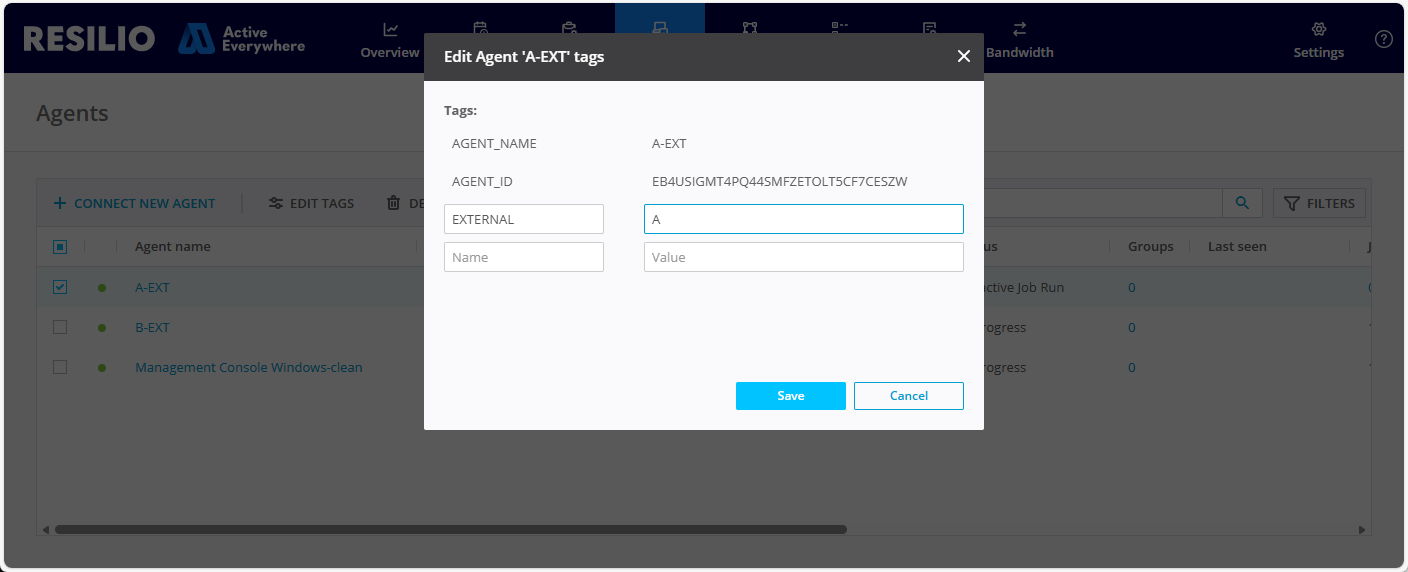
Edit tags of already deployed Agents.
-
-
Create a Job Profile with a network policy that allows 10 local connections between Agents (based on the
LOCATIONtag) and two external connections (based on theEXTERNALtag).
Select Network policy, click Edit..., and add the rules to control the connections between Agents based on their tags.AGENT-AGENT(LOCATION):10 EXTERNAL-EXTERNAL:2AGENT-AGENT(LOCATION):10- This rule allows Agents with the same value of theLOCATIONtag to establish up to 10 connections between each other.EXTERNAL-EXTERNAL:2- This rule allows two connections between Agents with uniqueEXTERNALtag value combinations. For example, for an Agent in Location A, these will be:A-BandA-C.
-
Add the
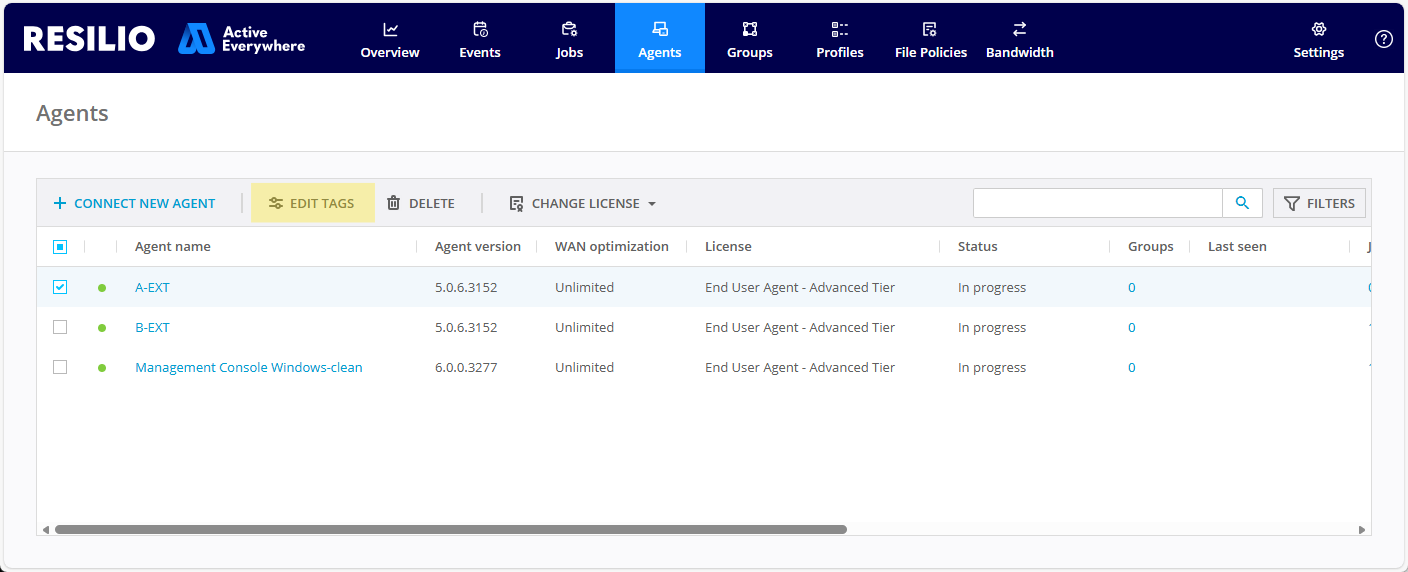
EXTERNALtag to select Agents that will be responsible for cross-regional connectivity:-
Select Agents, then select an Agent and click Edit tags.
-
Add the tag and provide a location-specific value.
-
-
Assign the Job Profile to an existing Job or create a new one.
Multiple Tracker instances
Trackers are one of the means of Agent discovery. Deploy and configure multiple Tracker instances in different regions and assign Agents to the closest Tracker. This way, Agents will connect to other Agents registered on the same Tracker. Delegate select Agents to connect to Agents in other regions to ensure data availability across your entire Resilio Active Everywhere deployment.
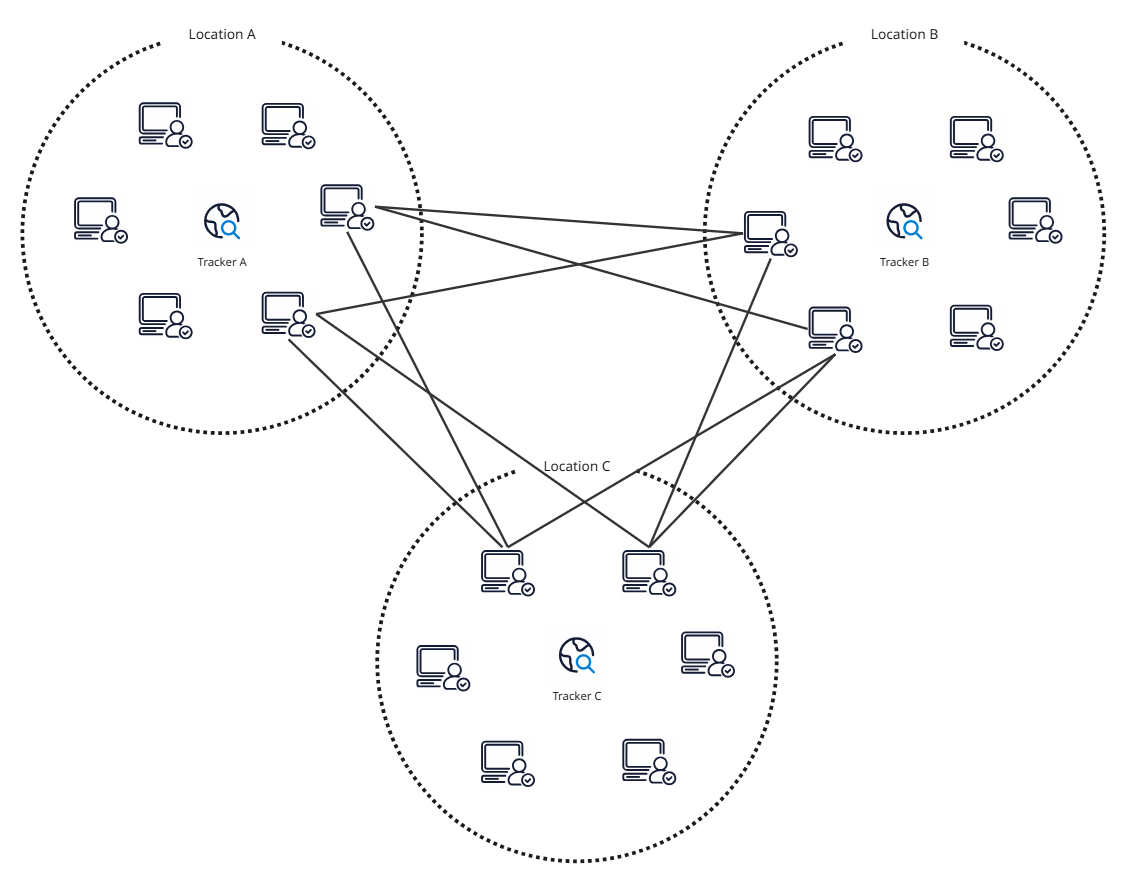
To implement this solution:
- Deploy a Tracker instance in each location.
-
Create a dedicated Agent Profile for each location.
In the Connectivity and network settings section, select Trackers and choose only the local Tracker instance.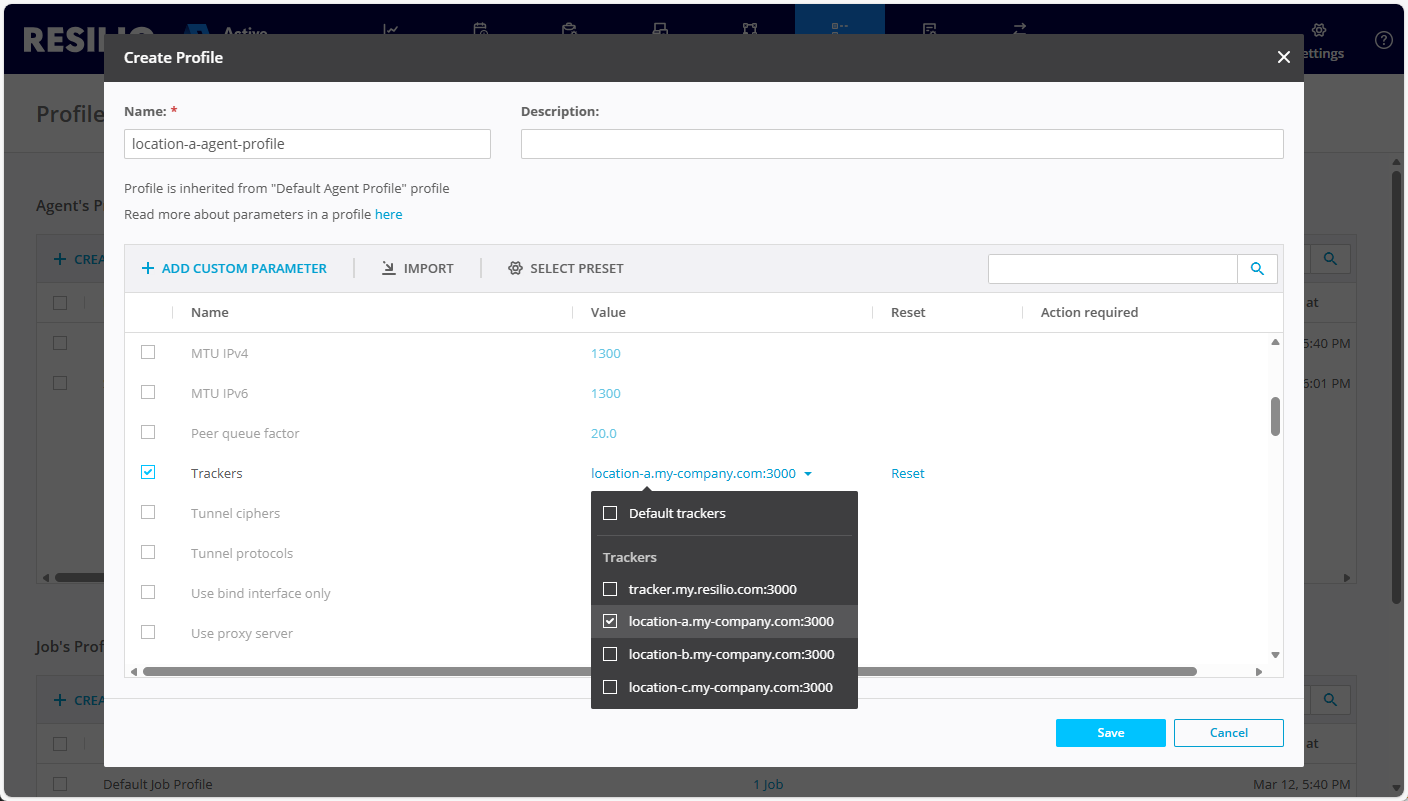
-
Create dedicated Agent groups for each location and assign the corresponding Agent Profile to them. This way, Agents in each location will connect to the local Tracker and establish connections with other Agents in the same location.
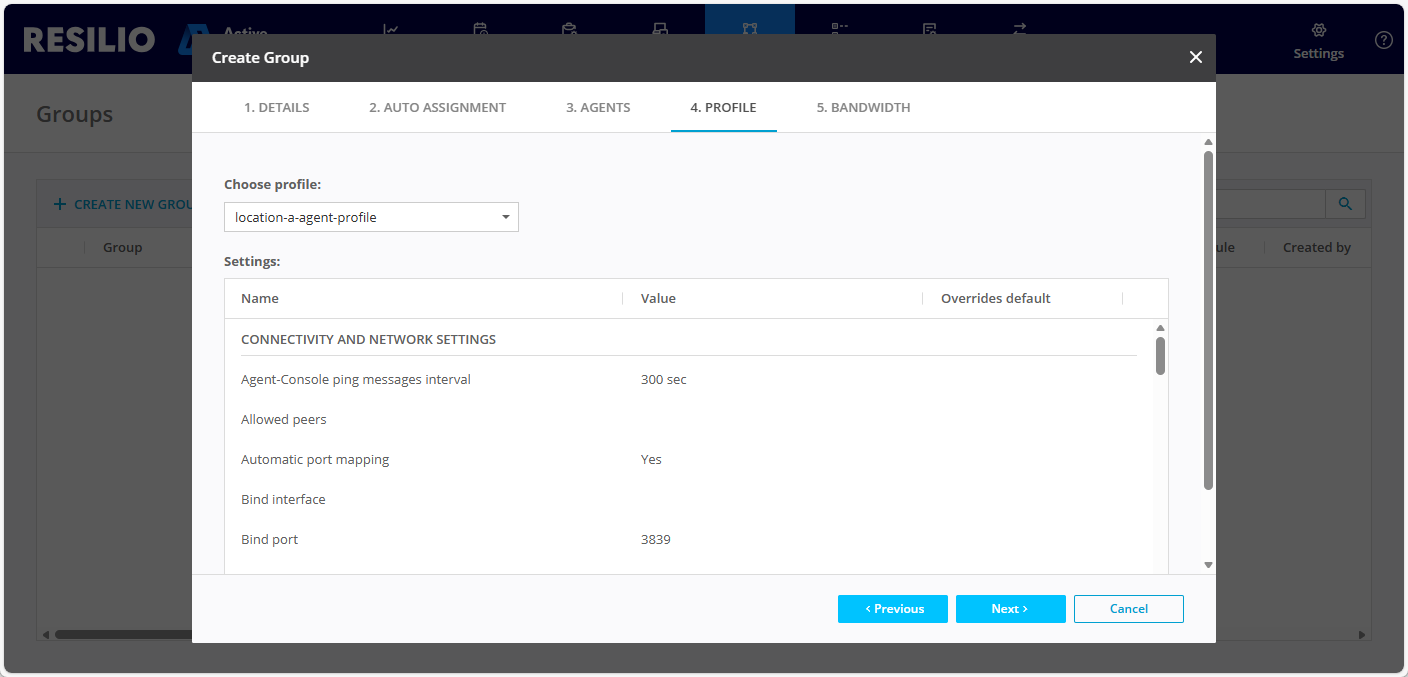
-
Create another set of dedicated Agent Profiles for Agents delegated to carrying traffic between locations.
- In the Connectivity and network settings section, select the Known hosts parameter.
- Click Edit... then provide a list of IP addresses or hostnames of Agents in other locations.
Tip
To ensure reliability of cross-regional connectivity, provide a list of multiple Agents in other locations. This way, if one of the Agents is offline, the others can still carry the traffic between locations.
-
Create groups and assign the corresponding Agent Profiles to the groups. This way, select Agents will be able to connect to Agents in other locations and carry traffic between regions.
- Create a Job and assign Agents to it.
Multicast and broadcast
Broadcast and multicast are alternative methods of peer discovery that allow Agents to discover each other without a Tracker. This is especially useful in environments where deploying a Tracker is not possible or desired - for example, if you want to ensure segmentation. Since broadcast and multicast mechanisms are limited to local networks, you must delegate a number of Agents to connect to a central Tracker for cross-regional connectivity.
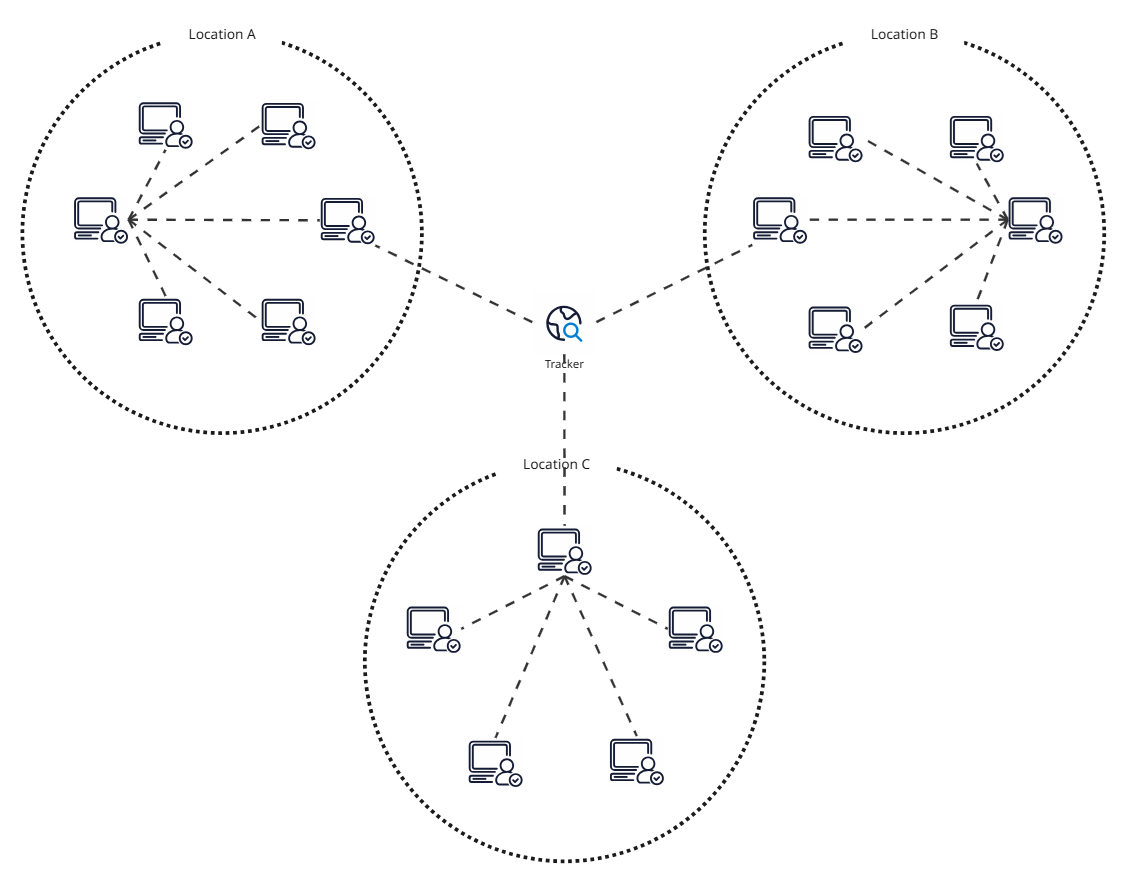
To implement this solution:
- Deploy a Tracker instance in a central location and make sure it's accessible from all remote locations.
-
Create a general-purpose Agent Profile for Agents allowed to connect only with other Agents in the same location.
In the Connectivity and network settings section, select Use tracker and choose No to limit Agent discovery to multicast and broadcast.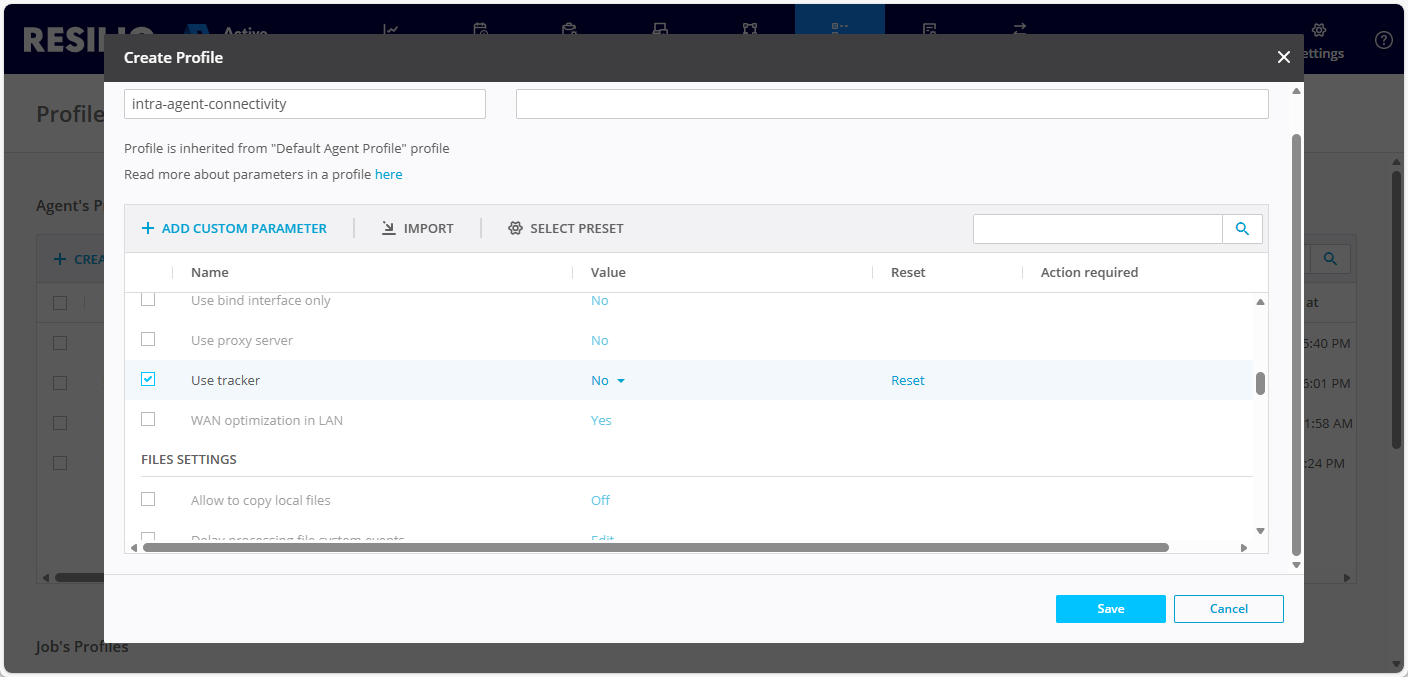
-
Create a dedicated Agent group for local Agents and assign the corresponding Agent Profile to it. This way, Agents in each location will discover and connect only to other Agents in the same location.
-
Create another Agent Profile for Agents delegated to carrying traffic between locations.
In the Connectivity and network settings section, select Trackers and choose the central Tracker instance.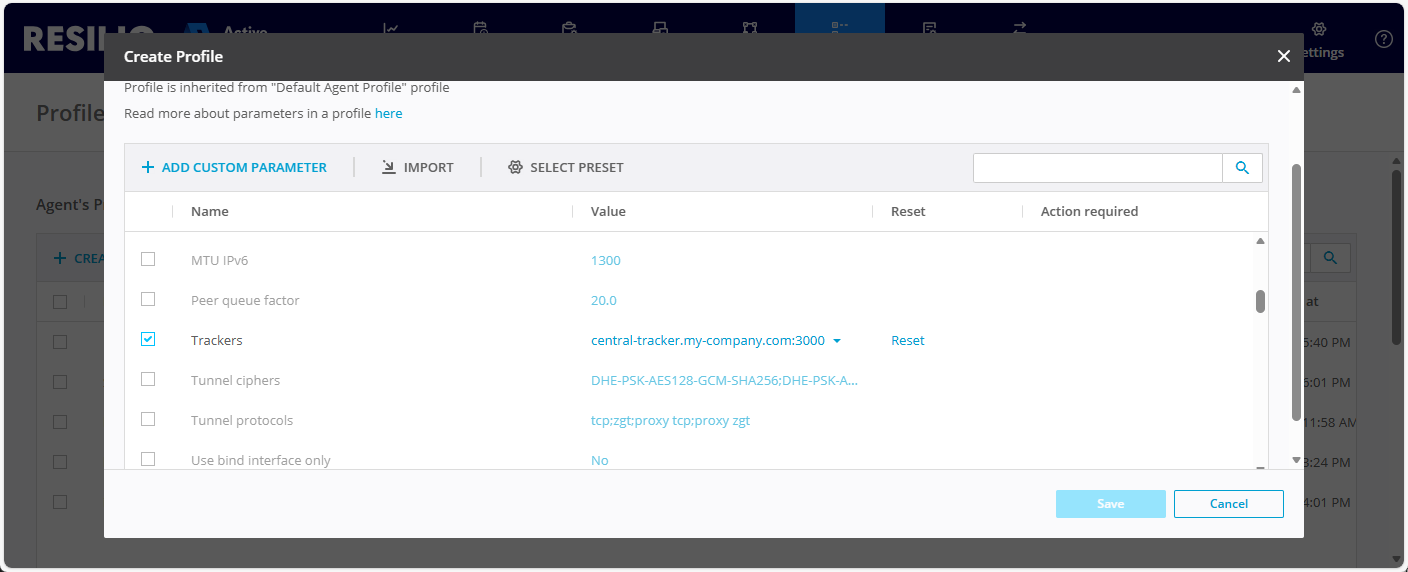
-
Create a group for Agents responsible for carrying cross-region traffic and assign the corresponding Agent Profile to it.
- Create a Job and assign Agents to it.