Management Console integration with Active Directory
Resilio Management Console can integrate with Active Directory and retrieve users and administrators.
Set up LDAP connection
To set up LDAP connection to an Active Directory server:
- In Management Console, select Settings > General and in the LDAP AUTHENTICATION section, click Configure.
-
Provide the following information, then click Save.
- Hostname - IP address or hostname of your domain controller.
- Port - Port number for LDAP connection, default:
389. -
Use SSL - Enable this option to use SSL for LDAP connection. If enabled, the default port is
636.Trusted CA certificate
If your LDAP server uses a self-signed certificate or a certificate from a non-trusted CA, you need to provide the CA certificate. You can add it either to Trusted Root Certification Authorities certificate store on Windows (applicable to Resilio 6.0 and newer), or add it in the Management Console under Settings > General > Advanced settings > Custom trusted CA certificates.
-
Username - Username for LDAP authentication. For example,
CN=admin,CN=Users,DC=example,DC=com.Tip
This is output from the
dsquery usercommand. -
Password - Password for LDAP authentication.
- Base DN - Base distinguished name (DN) for LDAP search. For example,
DC=example,DC=com. -
Additional User DN - Additional user distinguished name (DN). For example,
CN=Users,DC=example,DC=com.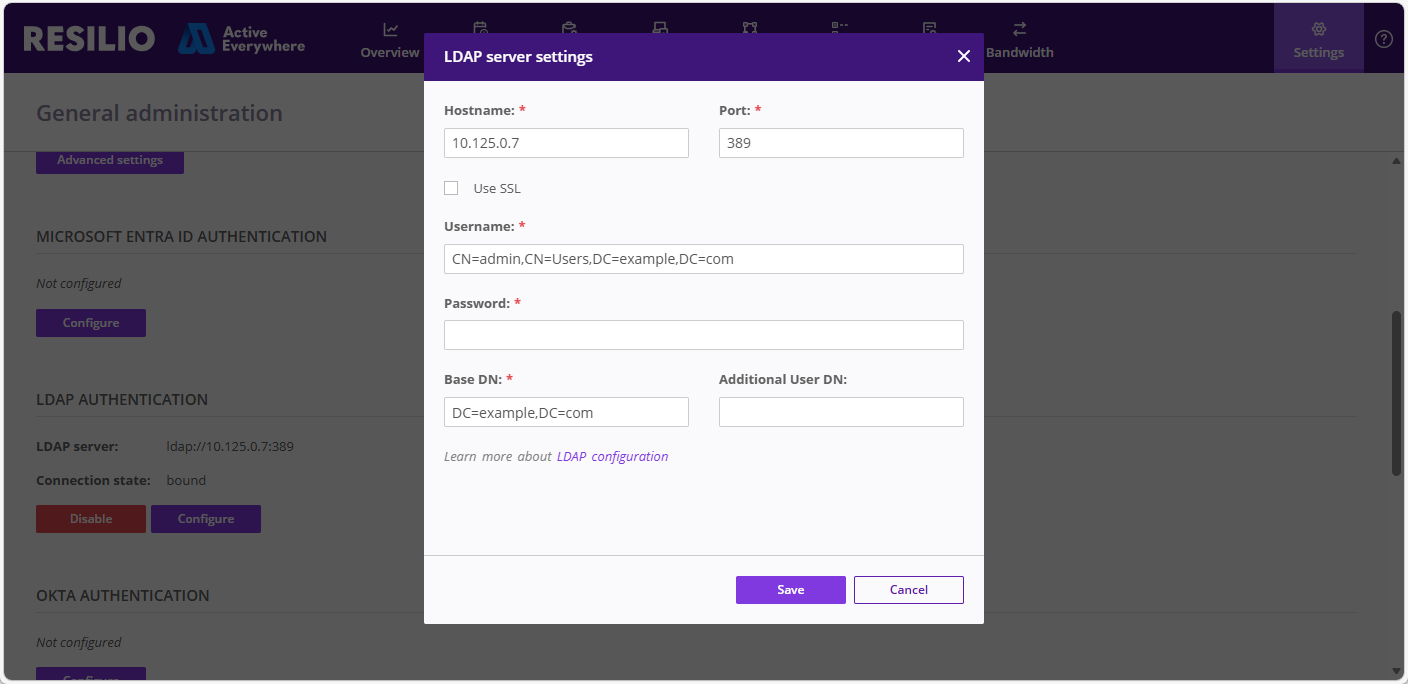
Add users and groups from Active Directory
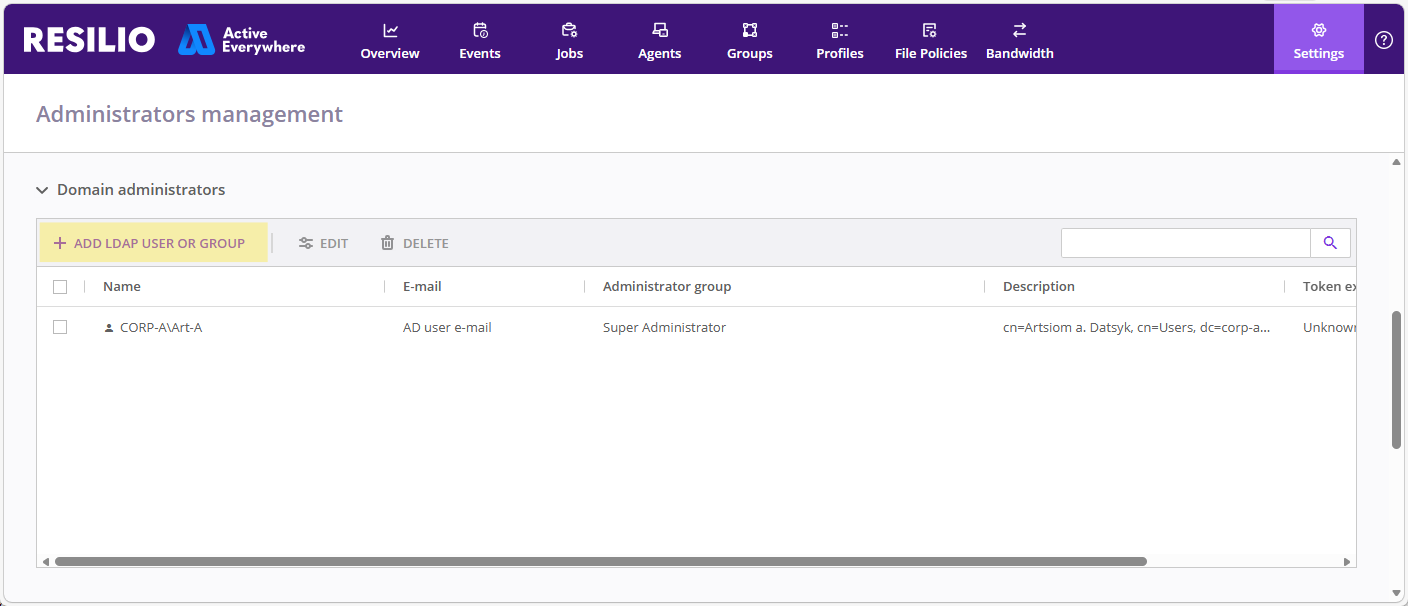
- Select Settings > Administrators.
-
In the Domain administrators section, click + ADD LDAP USER OR GROUP.
-
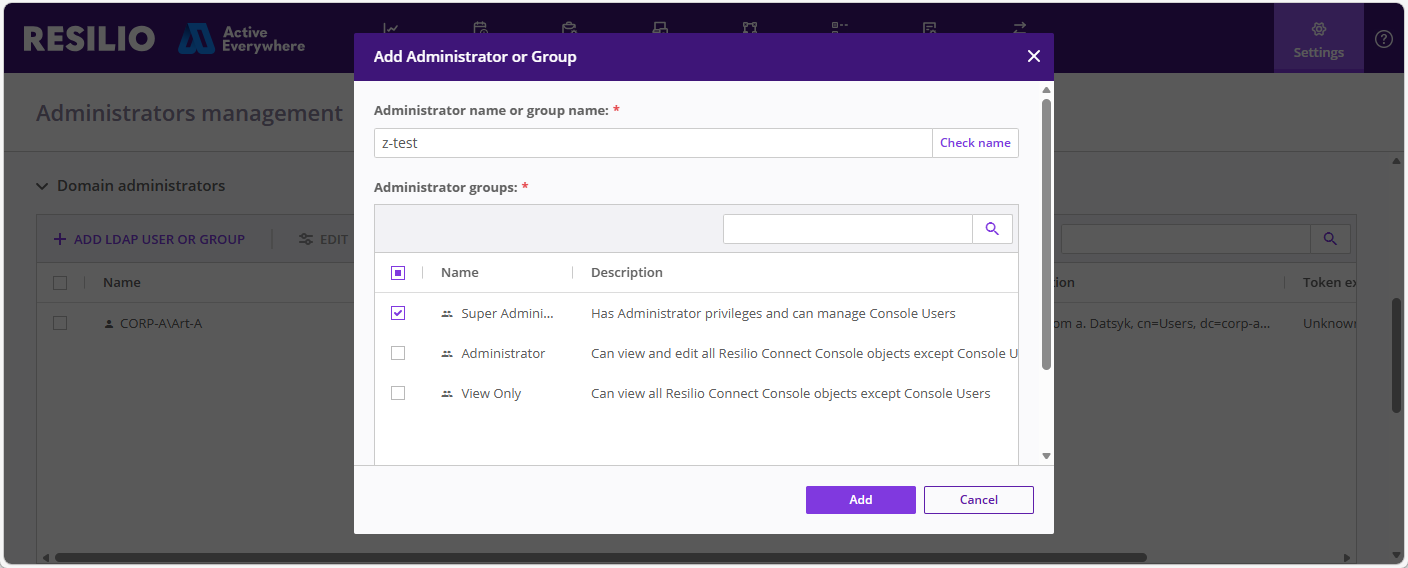
Enter the user name or the name of the group, assign administrator groups, then click Add.
Tip
Click Check name to verify that the user or group exists in the Active Directory server.
Limitations and peculiarities
- Okta is not supported. Management Console's LDAP connector is designed to work with Active Directory. Therefore, all providers not simulating AD behavior are not supported.
- Nested groups are not supported.
- If a user is removed from Active Directory server or the server does not return the requested user for a reason, the user is removed from the Management Console.