

How Lapham-Hickey Steel Improved File Availability and Disaster Resilience with Resilio
When a branch file server failure disrupted access to critical CAD drawings, Lapham-Hickey Steel turned to Resilio to ensure production files remain continuously synchronized and available across multiple locations.
3 TB+
Production CAD data replicated
3 Locations
Synchronized across branches
Always-On
Disaster recovery readiness
Founded in 1926, Lapham-Hickey Steel is a Midwest-based steel service center and fabrication company approaching its 100th year in business. From its headquarters in the Chicago area, the company operates multiple facilities, including branches in Illinois, Wisconsin, and Ohio, providing steel distribution, coil processing, and custom fabrication services to manufacturers across the region.

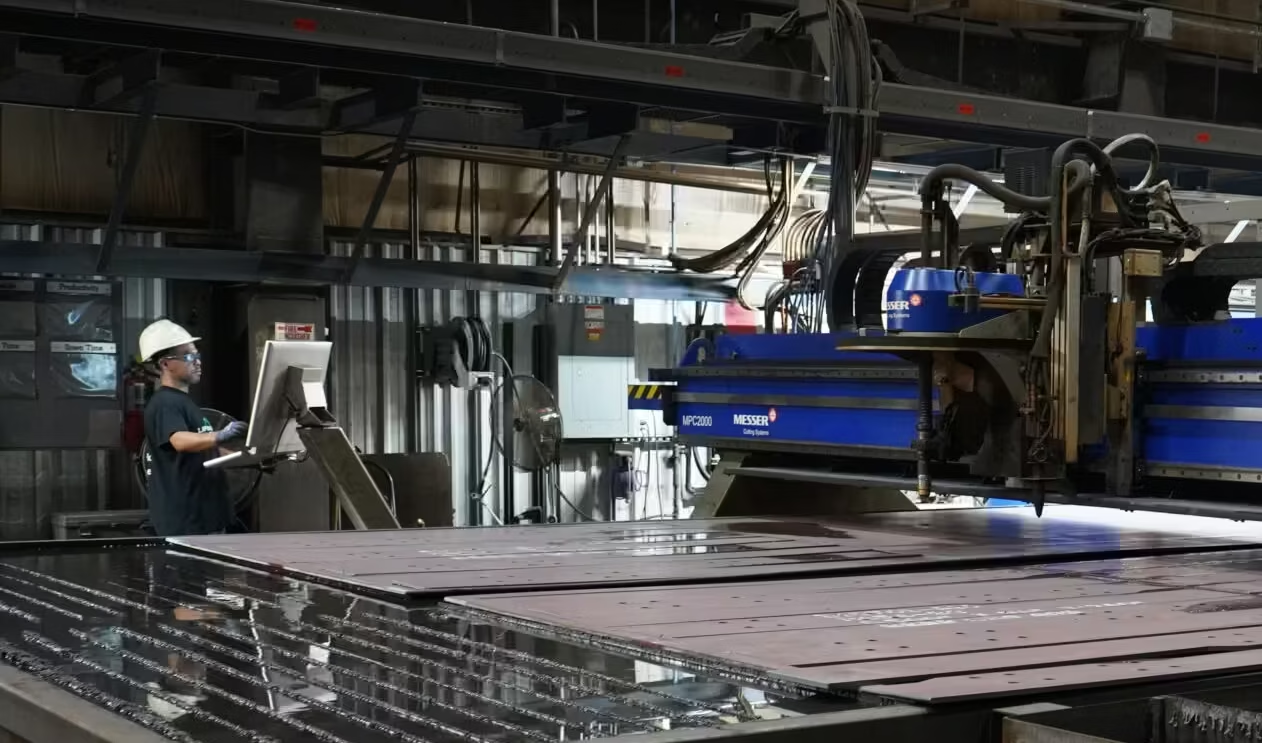
Capabilities like laser cutting, plasma cutting, forming, welding, and machining allow Lapham-Hickey to transform raw steel into precisely engineered components. These manufacturing operations depend on CAD and CAM design files that customers upload through a secure portal or email directly to the company. From the file server, those drawings feed directly into CNC machines on the shop floor.
File servers are the starting point for everything Lapham-Hickey manufactures. Customer drawings live there, and those drawings drive the machines.
The Challenge
Why DFSR Failed as a Disaster Recovery Solution
A File Server Failure Exposes the Limits of Backup-Only Recovery
That changed when a RAID array failure destroyed an entire file server at one of Lapham-Hickey's branch locations. The outage immediately took terabytes of production data offline, including the CAD drawings and job documentation the branch needed to run active manufacturing operations.
The IT team turned to their third-party backup provider for recovery, only to discover that the provider had not been properly monitoring the backups, and the most recent available copy was already a week old.
“That branch had around three terabytes of data, and restoring it over that connection took a while. During that time, we were missing files we needed for certain jobs, and even some documents required for billing.” Matt White, Systems Administrator at Lapham-Hickey Steel
The incident exposed a critical gap. Traditional backup-and-restore was too slow. The team didn't just need backup. They needed a continuously updated replica that could serve as an immediate failover when a branch server went down.
The Solution
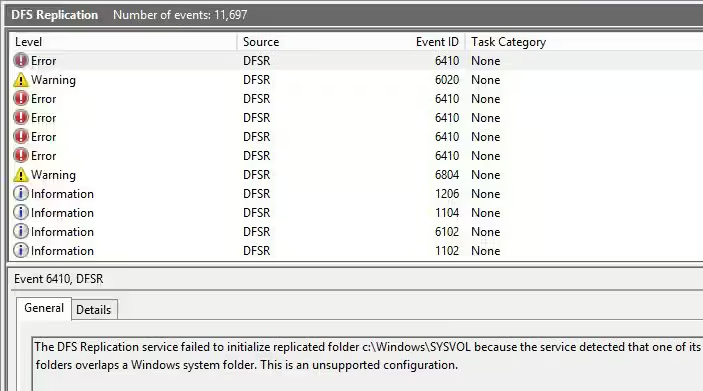
Finding a DFSR Replacement That Actually Works
With DFSR ruled out, White returned to researching alternatives. Browsing sysadmin forums and Reddit, he kept seeing Resilio recommended as a DFSR replacement. He contacted Resilio to start an evaluation.
Before deploying anything in production, White built a full test environment: a small lab server running virtual machines with a simulated VPN tunnel to replicate the company’s multi-site topology. He loaded a copy of a production file server and began testing with real-world files, NTFS permissions, and live edits.
“It was a pretty quick setup, and it did exactly what I wanted it to do. I was making real-time file changes, uploading big files and small ones, and just watching them replicate back and forth.” Matt White, Systems Administrator at Lapham-Hickey Steel
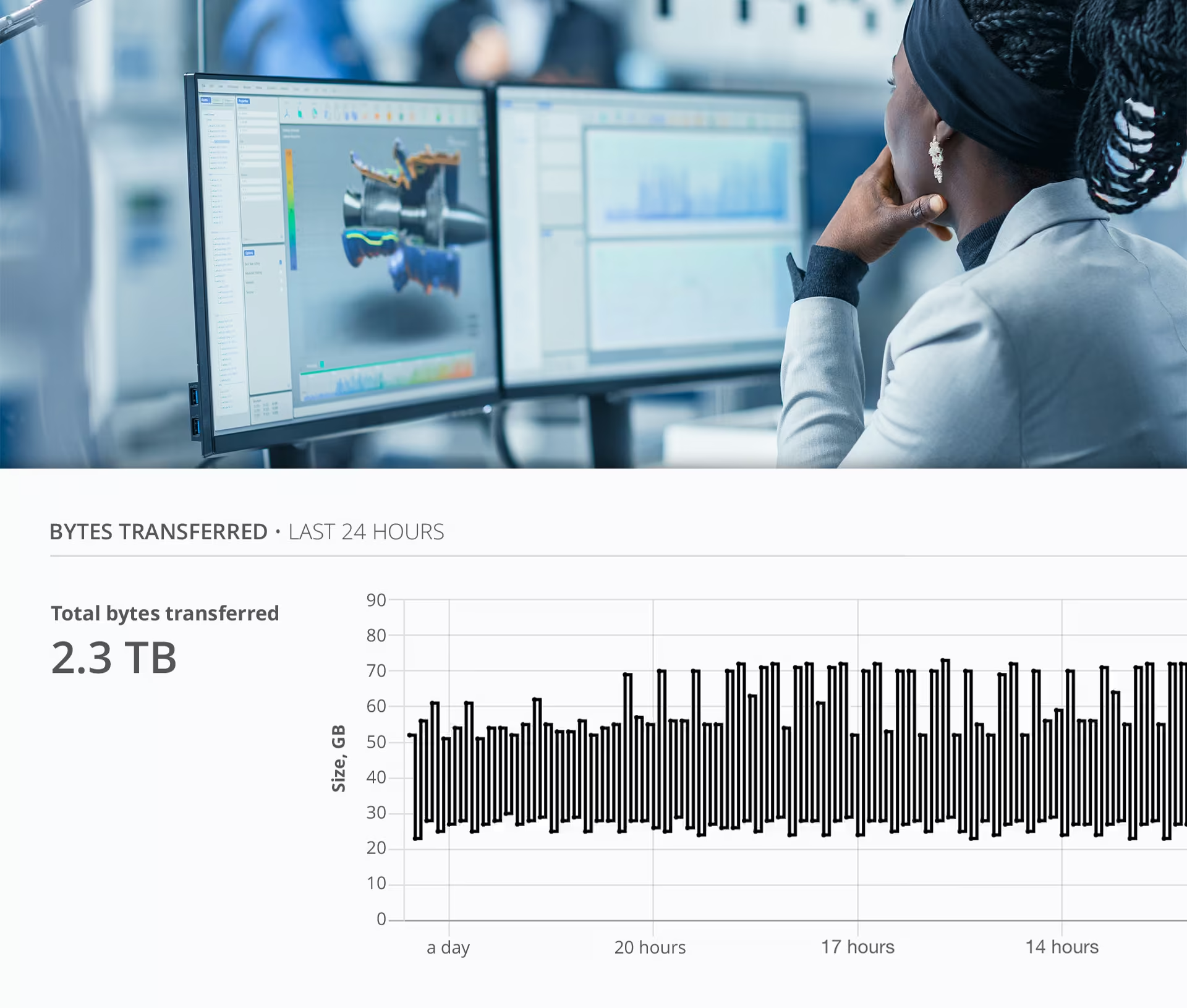
The difference from DFSR was immediate. Files appeared on the destination server almost instantly. Resilio management console provided real-time visibility into every transfer.
Deploying Continuous File Replication Across Multiple Manufacturing Sites
The Results
Always-Current Disaster Recovery for Multi-Site Manufacturing Operations
Today, Resilio continuously synchronizes approximately 3 TB of production CAD and manufacturing data between Lapham-Hickey Steel's branch locations and corporate headquarters. Two branch file servers replicate back to headquarters to maintain an up-to-date disaster recovery copy, while key drawing repositories replicate outward so production teams always have fast local access.
From day one, files that previously took minutes to appear at the destination arrived almost instantly. And instead of generating XML reports and hoping for the best, White can monitor every transfer in real time through Resilio management console. That visibility, White says, makes all the difference.
That trust was tested recently when a networking issue caused the company's backup system to stop capturing data from one of the branch file servers. While the backup team worked through the problem, Resilio kept synchronizing normally in the background.
"When the backups stopped again because of a networking issue, Resilio was still running. At least we knew we had an up-to-date copy of the files at headquarters." Matt White, Systems Administrator at Lapham-Hickey Steel
Throughout onboarding, White worked with the same Resilio team from evaluation through production deployment, which meant he never had to re-explain his setup or goals. He described the support as extremely helpful and appreciated the continuity of working with people who already understood his environment.
After the initial configuration, the system has required almost no ongoing maintenance. For a lean IT team managing infrastructure across multiple locations, simplicity matters.
"The setup and configuration were really quick, and honestly, I haven't had to touch it since. It just works." Matt White, Systems Administrator at Lapham-Hickey Steel
Move Faster
Lapham-Hickey Steel runs on Resilio
Customer

Industry
Product
Solution
Overview
When a branch file server failure disrupted access to critical CAD drawings, Lapham-Hickey Steel turned to Resilio to ensure production files remain continuously synchronized and available across multiple locations.
Explore Resilio
Featured Resources

Fast and Reliable DFSR Replacement
Get a high-performance replacement for Microsoft Windows Distributed File System Replication (DFSR) for SMB file server replication.

Warm and Hot Site Disaster Recovery
When disaster strikes, Resilio’s low latency, real-time file replication protects files of any type and size across sites.

Server Sync for Modern Enterprises
Resilio delivers faster sync without disruption, replacing slow, unreliable sync solutions.
Get started fast
Experience unified access to files wherever they’re stored.